How-To•4 min read•Updated

How to Use the Birds of Paradise Font in Canva

Birds of Paradise isn't in Canva's built-in font list. Here is how to upload it yourself, and what to use if you are on the free plan.

Editorial team · First published .

Quick answer

Birds of Paradise is not one of Canva's built-in fonts. To use it you need a plan that allows font uploads (Canva Pro, Teams, Education or Nonprofit): download the .ttf file, open your Brand Kit, choose "Upload a font", and it will appear in the font menu. On the free plan you can't upload fonts, so pick a similar built-in script such as Great Vibes instead.

Before you start
You need two things: 1. The font file. Download Birds of Paradise (the link is on our download page) and unzip it if needed. You want the .ttf file. 2. A Canva plan that allows font uploads. Uploading fonts is not available on Canva Free. One more thing: when you upload, Canva asks you to confirm you have the right to use the font. With the free personal-use version, that's true only for personal designs. If the design is for a business, buy the Herofonts commercial license first.
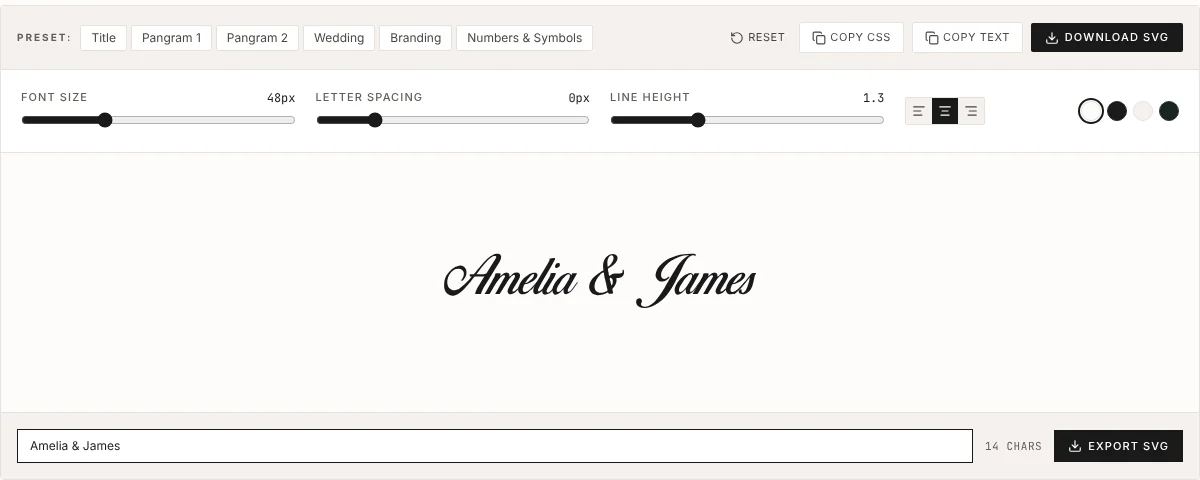
Birds of Paradise font preview tool showing the names Amelia and James
Not sure yet? Try your text in our free previewer before uploading.

Step-by-step: upload Birds of Paradise to Canva

1. Open Canva in a desktop browser (uploading is easiest on a computer). 2. Go to Brand (or Brand Kit) in the left sidebar. 3. Find the Fonts section and click "Upload a font". 4. Select the Birds of Paradise .ttf file you unzipped. 5. Confirm the license prompt. 6. Open any design, select a text box, open the font menu and search "Birds of Paradise". It will be listed under your uploaded or brand fonts. Canva's menus change from time to time, so the button may be in a slightly different spot. You can also try the font drop-down on any text box, which usually has an "Upload a font" option at the bottom.

Tips for making it look good in Canva

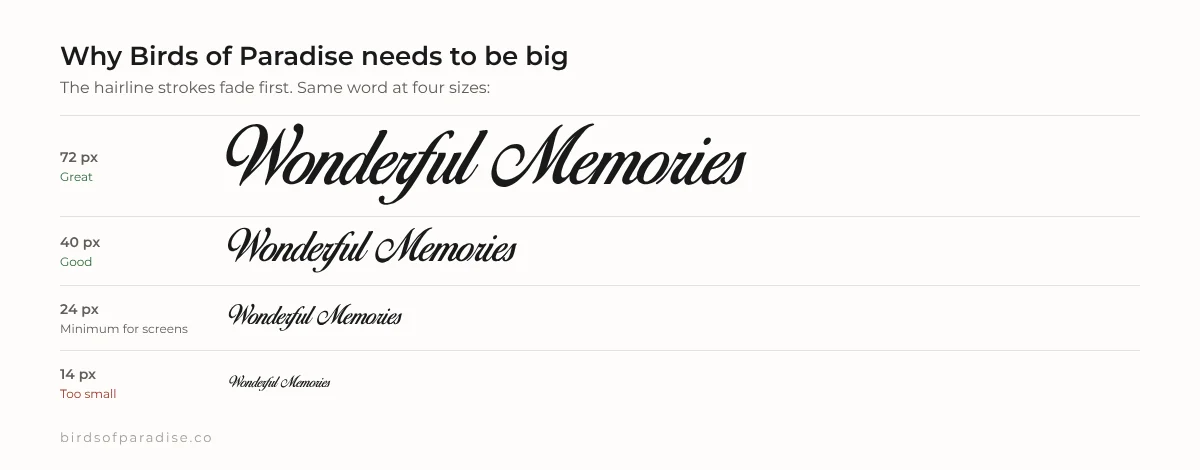
Use it big. Below roughly 24pt the thin strokes start to disappear, especially on phone screens. Don't use All Caps. Script capitals are meant to be followed by lowercase, and a row of capitals looks messy. Pair it with a plain font. For dates and details use something simple like Montserrat, Lato or a serif like Playfair Display. Letter spacing: leave it at 0. If you add spacing, the connections between letters break apart.
Birds of Paradise font at 72, 40, 24 and 14 pixels showing thin strokes fading at small sizes
Keep it big: below about 24px the thin strokes start to disappear.

Font not showing up?

Refresh the page after uploading. Make sure you uploaded the .ttf file and not the .zip. Check you are in the same team or brand that you uploaded the font to. If Canva rejects the file, download it again from our download page. Renamed or converted copies from random sites sometimes have broken tables.

On Canva Free? Use a built-in look-alike

Canva's own library includes several scripts with a similar feel. Search for Great Vibes, Allura or Alex Brush in the font menu. They are also free for commercial use, so they are a good choice for business designs either way.

Frequently asked questions

Is Birds of Paradise available in Canva?

Not as a built-in font. You can upload it yourself if your Canva plan supports font uploads (Pro, Teams, Education or Nonprofit).

Can I upload fonts on Canva Free?

No. Font uploads are a paid-plan feature. Free users can choose a similar built-in script such as Great Vibes or Allura.

Can I sell Canva designs that use Birds of Paradise?

Not with the free personal-use version. Selling designs is commercial use and needs a license from Herofonts.

See your own text in Birds of Paradise

Preview names and words, or export them as an SVG for Cricut, Silhouette or a tattoo stencil.

Related guides